
Exporting Your Data

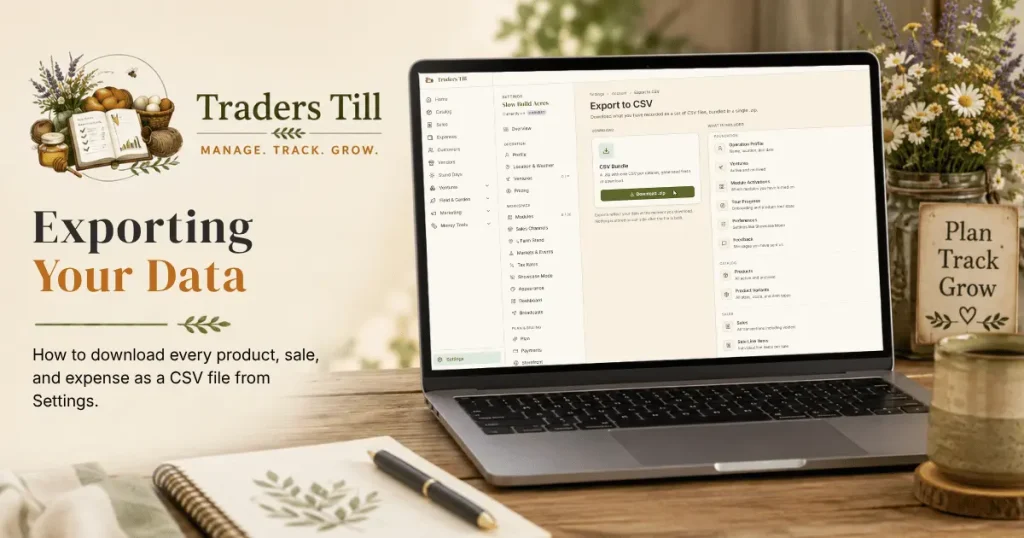
Your records are yours. Traders Till keeps the full export one click away, on every plan, so you are never locked in and your accountant is never locked out. This article covers where the export lives, what is in the ZIP, how the files are formatted, and what is not included yet.
How do I download my data?
Go to Settings → Export to CSV and tap Download .zip. That is the whole flow:
- Open Settings and pick Export to CSV in the Account group.
- Tap Download .zip on the CSV Bundle card.
- Your browser downloads a ZIP built fresh at that moment.
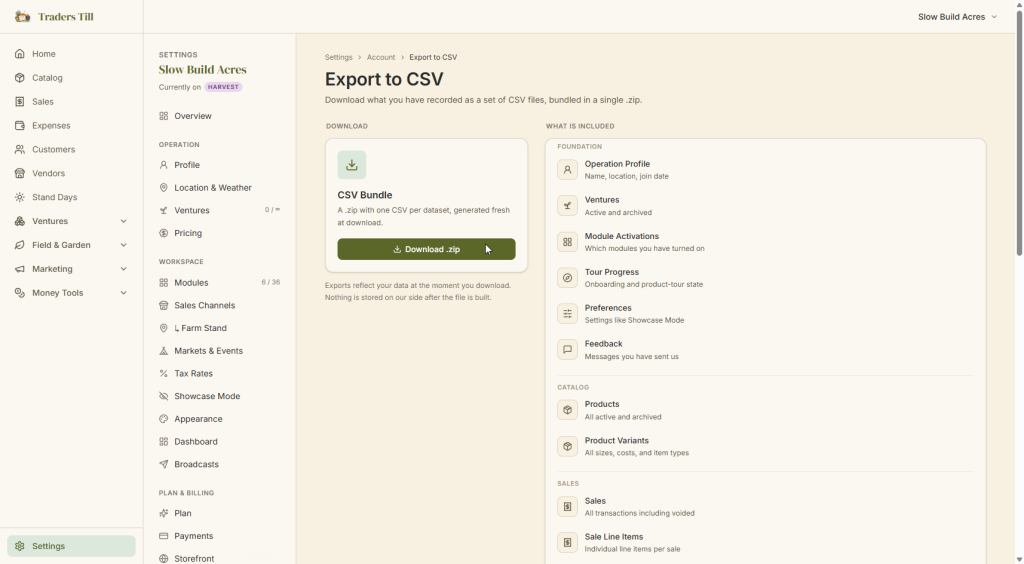
The export reflects your data at the moment you download. Nothing is stored on our side after the file is built, so each download is a clean snapshot.
What is in the export?
One CSV per dataset, covering everything you have recorded. The Export page lists the full contents, grouped the same way:
- Foundation: operation profile, ventures, module activations, tour progress, preferences, and the feedback you have sent us.
- Catalog: products and product variants, active and archived.
- Sales: sales (including voided ones), sale line items, customers, channels, and tax rates.
- Accounting: expenses, per-venture expense allocations, and vendors.
- Recipes: recipes, recipe components, and production batches.
- Bundles: bundle components and inter-venture transfers.
- Channel pricing: per-channel price overrides.
- Donations: charitable gifts with value and cost basis.
- Waste: write-offs with cause and cost.
- Assets: your asset records.
Every CSV includes a header row even when the dataset is empty, so the structure is always visible.
How are the files formatted?
The files are standard CSVs designed to be readable without a database join. The details:
- Money columns are integer cents. A value of 1250 means $12.50. The bundled
README.txtspells this out. - Timestamps are rendered in your operation’s timezone, not raw UTC.
- ID columns keep their stable GUIDs, but a human-readable name column sits beside each one (a venture id travels with the venture’s name, for example).
- Sale line items carry the parent sale’s transaction and payment dates, so each line stands on its own.
- Escaping follows the standard CSV rules, so Excel, Google Sheets, and Numbers open the files directly.
What is not exported?
The bundle covers the datasets listed above and nothing else. A few newer areas of the app are not in it yet, including storefront orders and drops, quote requests, gift cards, and your follower list. If you need one of those datasets before it lands in the export, send us a note through Settings → Feedback.
The export also never includes your password or sign-in credentials. Account data in the bundle is limited to your operation profile.
Can I export to QuickBooks?
Not yet. A QuickBooks Online connection is designed and on the roadmap, and the app is upfront about that: the Connections page under Reports (part of the Bloom Taxes & Accounting area) describes it and marks it Planned. When it ships, it will be a one-way push: sales become invoices, expenses become bills, customers stay customers, and nothing in QuickBooks ever writes back into Traders Till.
Until then, the CSV bundle is the hand-off to your accountant. The sales, expenses, and allocations files carry both transaction and payment dates, so they work for either cash or accrual bookkeeping.
Do I need a paid plan to export?
No. The export is on every plan, including Free, with no caps and no gating. Being able to take your data with you is part of the deal, not a feature you pay for. Download it when you back up, when tax season comes, or if you ever decide to leave. It is your data either way.
Common questions
Can I export my Traders Till data on the free plan?
Yes. The CSV export is available on every plan, including Free, with no caps and no gate. Your data is yours; you can download all of it at any time from Settings, Export to CSV, whether you are paying or not, and as often as you like.
Can I pick a date range for the export?
No. The export is always your complete dataset, every record from the day you signed up through the moment you click download. There are no date-range or per-dataset options. Once the files are open in a spreadsheet, filtering to the range you need takes a few seconds.
Can I open the exported CSV files in Excel or Google Sheets?
Yes. Each dataset is a standard CSV with a header row, so Excel, Google Sheets, Numbers, and any accounting tool that accepts CSV can open them directly. Money columns are in cents (so 1250 means $12.50), and the bundled README explains that and the rest of the format.
Does exporting my data delete anything from my account?
No. The export is a copy, a snapshot of your data at the moment you download it. Everything stays in your account exactly as it was, and nothing is stored on Traders Till's side after the file is built. You can download a fresh copy as often as you like.
Does Traders Till export to QuickBooks?
Not yet. A one-way QuickBooks Online push (sales become invoices, expenses become bills, customers stay customers) is designed and on the roadmap; the Connections page under Reports describes it and marks it Planned. Until it ships, the CSV export is the way to hand records to your accountant.
Keep Reading