
Free vs Paid, What Each Tier Includes

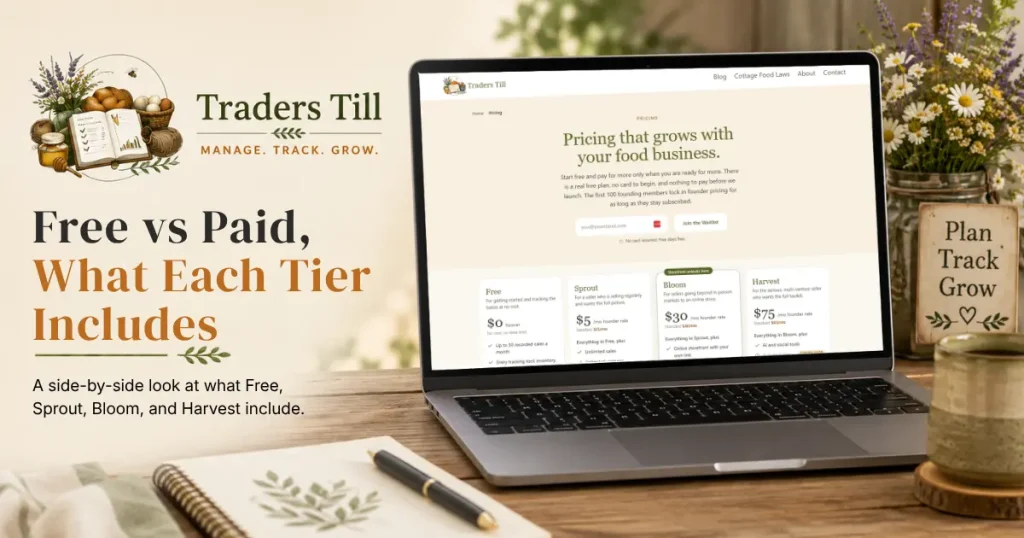
Every plan runs the same app. The paid tiers do not unlock a “better” version of the core tools. They lift the Free caps and switch on the growth modules: reports, email marketing, the advanced storefront extras, and the AI suite. This article walks through what each tier includes, what founder pricing means, and exactly what happens when you upgrade or downgrade.
What are the four Traders Till plans?
The four plans are Free ($0), Sprout ($15/mo), Bloom ($40/mo), and Harvest ($95/mo). Each tier includes everything below it.
Every paid plan can be billed monthly or annually. Annual is priced at about a 20% discount: Sprout $144/yr, Bloom $384/yr, Harvest $912/yr. The Settings → Plan page has a Monthly / Annual · save 20% toggle above the plan cards, and the prices on the cards follow whichever you pick.
For the full, always-current side-by-side feature comparison, see the pricing page:
What does the Free plan include?
Free includes the entire core toolkit, forever, with no card required. You get the product catalog with variants and stock tracking, the Quick Sale Pad, expense logging, recipes and batch production with the cross-batch shopping list, bundles, per-channel pricing, donations, waste write-offs, and the full CSV data export. Free also includes digital receipts (your customer leaves an email at checkout and gets a receipt with a hosted copy) and self-serve stand checkout, where a printed QR code lets a customer ring up their own purchase from their phone at an unattended stand.
Free also includes your own online storefront: a public stand on traderstill.com with drops, pre-orders, pickup scheduling, and discount codes. Customers pay through your own Stripe account, and Traders Till takes no percentage of your sales on any plan, including this one.
Four caps apply on Free:
- You can record up to 50 sales per calendar month. See Your Free-Tier Sales Limit for exactly how the counter works.
- You can list up to 10 products on your storefront at a time, counted across the pre-order menu, the farm stand, and open drops. The same product listed in more than one place counts once.
- You can create up to 3 custom ventures, on top of the ventures your modules provide.
- Digital receipts are capped at 50 per calendar month, deliberately matching the sales cap so both limits arrive together. Receipts issued by self-serve stand checkout never count against this cap.
Two situations pause a Free storefront, and both are a pause, never a shutdown. When you reach 50 sales in a month, your shop stops taking new online orders until the 1st, or immediately reopens when you upgrade. And if you have not signed in for 30 days, the shop pauses until you come back; signing in is all it takes, and it reopens on its own within a few minutes. Either way your customers only see a note that the stand is not taking orders right now. Your plan is never mentioned on your public page, and nothing about your shop is deleted.
The intent is that a producer who is still planning, or selling occasionally, never pays anything, storefront included.
A companion mobile app for iOS and Android is coming soon on every plan, including Free. It is built and in final testing ahead of its app-store release; until then, the web app works in your phone’s browser.
What does Sprout add?
Sprout ($15/mo) removes every Free cap. Specifically:
- Unlimited recorded sales. The counter chip and warnings disappear, and your storefront never pauses.
- Unlimited storefront listings.
- Unlimited custom ventures.
- Unlimited digital receipts.
- The Reports & Analytics Hub, so you can see what moves and what sits by venture, channel, or month.
- CSA share seasons (definition, roster, and fulfillment).
- Consignment, for selling goods from friends and other makers at your stand: mark their items, log drop-offs, and settle up with a statement of what sold and what you owe them.
- AI recipe photo import, 10 imports per month.
- Support answered within 48 hours instead of 72.
What does Bloom add?
Bloom ($40/mo) is the marketing tier, plus the advanced storefront extras. On top of everything in Sprout:
- A follower list with email broadcasts, up to 1,000 sends per month. Customers can follow your storefront on any plan; Bloom is where you can email them.
- Automated drop-open and closing-soon announcement emails that send themselves when a drop opens or is about to close.
- Digital product downloads: mark a product digital, attach a PDF or ZIP, and buyers get an instant download link after checkout.
- Social proof widgets: an optional “someone just ordered” note on your storefront and a review widget you can embed on your own website.
- The branded QR code designer: your colors and logo on the code, downloadable as PNG or SVG for signage and packaging.
- Custom order quote requests on your storefront, with quotes, tokenized accept, and invoicing.
- The Prep planner, which works backward from your confirmed storefront orders to a pick, pack, and start-by schedule.
- Connecting an external email provider (ConvertKit, Mailchimp, Klaviyo). Coming soon.
- A one-way push to QuickBooks. Coming soon, and today the Connections screen says plainly that it is not live; your accounting numbers are available as CSV exports in the meantime.
- Gift cards.
- The option to turn off the “Sent with Traders Till” footer on your digital receipts.
- The stand kiosk tablet app, which turns a tablet at your stand into a dedicated self-checkout register. Coming soon, since it is built and in final testing ahead of its app-store release. The QR-code self-serve checkout above works on every plan today without it.
- WordPress integration, which pulls your catalog onto your own site.
- Taxes & Accounting reports: Schedule C or F totals by IRS line, a quarterly set-aside planner, cash vs accrual views, and overhead allocation.
- Storefront CSA signup and installment plans.
- AI recipe photo import rises to 20 per month.
- Support answered within 24 hours, the fastest window we offer.
What does Harvest add?
Harvest ($95/mo) is the full marketing suite. On top of everything in Bloom:
- Unlimited broadcast sends.
- The Social Media Hub for planning and drafting posts. The caption composer and the copy-and-post hand-off work today; posting straight to the platforms and pulling stats back are coming soon.
- Newsletter & CRM: full native marketing automation on your own list. Coming soon.
- Marketing email sent from your own brand and address. Coming soon.
- A custom domain on your storefront. Coming soon, and every storefront runs on a traderstill.com link today.
- The Idea Generator, AI product and content ideas tuned to your operation.
- The custom color palette builder in
Settings → Appearance, so the app runs in your own brand colors. - AI recipe photo import rises to 50 per month.
What is founder pricing and how do I keep it?
Founder pricing gives the first 100 paid signups, counted across all tiers, a locked reduced rate: Sprout $5/mo, Bloom $30/mo, Harvest $75/mo. If the cohort still has room when you first subscribe, you get the founder rate automatically. Nothing to enter, no code.
Founder pricing applies on annual billing too, at the same 20% discount: Sprout $48/yr, Bloom $288/yr, Harvest $720/yr. Pick Annual on the toggle before you upgrade and the founder rate follows.
Two rules to know:
- The rate holds for as long as your subscription stays continuous, and it moves with you between paid tiers. A founder upgrading from Sprout to Bloom pays the Bloom founder rate.
- It is not a lifetime deal. If your subscription lapses, founder status is cleared permanently. Re-subscribing later means standard pricing. A declined card is not a lapse on its own, since your plan and founder rate hold through the retry window described below.
How do I upgrade, and what happens when I do?
Upgrade at Settings → Plan. The page shows all four plans side by side, with your current plan highlighted and an Upgrade button under each of the others.
- Open
Settings → Plan. - Choose Monthly or Annual · save 20% on the toggle above the cards. The plan prices update to match, so you can compare before committing.
- Tap Upgrade to Sprout (or Bloom, or Harvest).
- If this is your first paid plan, you land on a Stripe checkout page. Add a card and confirm. On Free there is nothing to charge, so a payment method is only added here. Nothing is added on top of the listed price at the moment, and the page shows the final total before you confirm.
- If you already have a paid plan and are moving up, a confirmation shows the exact prorated amount due today before anything is charged.
- You return to the Plan page, which greets you with a checklist of what you just unlocked.
If you already subscribe, the toggle opens on whichever period your live subscription is actually on, so the page always reflects what you are paying today.
After your first upgrade, the Manage Billing button on the same page opens the Stripe Billing Portal. Payment method, invoices, and cancellation all live there. Traders Till never shows made-up versions of any of that in-app.
What happens if I downgrade or cancel?
Downgrades never charge you and never take effect early. Moving from a higher paid tier to a lower one is scheduled for your next renewal date, and you keep your current plan and features until then. The Plan page shows a note with the exact date.
Choosing Cancel Plan works the same way: your subscription runs to the end of the period you already paid for, then your account moves to Free.
A declined card is not a cancellation. If a renewal charge fails, Stripe retries it up to four times across about two weeks and emails you a link to update your payment method. Through that whole window nothing about your account changes: you keep your tier, your features, and your founder rate if you have one. Only when every retry has failed does the account move to Free. Update the card at any point and the invoice settles.
Either way, your data is untouched. Moving to a paid plan never deletes data, and moving back to Free only re-applies the Free caps. Your storefront stays up on Free, and if you had more than 10 products listed, nothing is removed; you just cannot add new listings until you are back under the cap or upgrade again. If a feature you used is above your new tier (say, digital downloads after leaving Bloom), the records stay in your account and come back when you upgrade again. You can also export everything as CSVs on any plan.
Common questions
How much does Traders Till cost per month?
The Free plan is $0 forever, no card required. Paid plans bill monthly or annually (annual saves about 20%): Sprout is $15/mo or $144/yr, Bloom is $40/mo or $384/yr, and Harvest is $95/mo or $912/yr. The first 100 paid signups get founder pricing instead: $5, $30, and $75 per month (or $48, $288, and $720 per year), locked in for as long as the subscription stays continuous.
Is the Traders Till online storefront free?
Yes. Every plan, including Free, includes a public storefront on traderstill.com with drops, pre-orders, pickups, and discount codes, and Traders Till never takes a percentage of your sales on any plan. The Free plan lists up to 10 products on the storefront and pauses new orders when you reach 50 sales in a month; paid plans have no listing cap and never pause.
Why is my storefront paused?
On the Free plan a storefront pauses for one of two reasons: you reached 50 recorded sales this month (it reopens on the 1st, or immediately when you upgrade), or you have not signed in for 30 days (it reopens on its own shortly after you sign back in). Customers just see that the stand is not taking orders right now; your plan is never mentioned on your public page. The Storefront page in the app shows you the reason and the fix.
What is founder pricing in Traders Till?
The first 100 paid signups, counted across all tiers, lock in a reduced founder rate: Sprout $5/mo or $48/yr, Bloom $30/mo or $288/yr, Harvest $75/mo or $720/yr. The rate holds as long as your subscription stays continuous, and it follows you if you move between paid tiers. If your subscription lapses, founder status is cleared permanently and standard pricing applies when you re-subscribe.
Do I lose my data if I downgrade to the Free plan?
No. Moving to a paid plan never deletes data, and moving back to Free only re-applies the Free caps (50 sales per month, 3 custom ventures, and 10 storefront listings). Everything you recorded stays in your account, and you can export all of it as CSVs on any plan at any time.
What happens when I hit 50 sales on the free plan?
Recording new sales is blocked for the rest of the calendar month, and your storefront stops taking new online orders at the same moment. A warning appears at 40 sales, and at 50 the Quick Sale Pad shows a block message until the 1st or until you upgrade. Everything else (expenses, production, donations, stock) keeps working. Voiding a mistaken sale frees its slot; refunds do not.
What happens if my card is declined on renewal?
You keep your plan while Stripe retries. A failed renewal starts a two-week retry window: Stripe re-attempts the charge up to four times and emails you a link to update your card. Your tier, your features, and your founder rate all stay exactly as they were during that window. Only if every retry fails does the account move down to Free. Fixing the card at any point in the window settles the invoice and nothing changes.
Is sales tax added to my subscription?
Not at the moment. The price on the plan card is what Stripe charges you, with nothing added on top, so the total you confirm at checkout matches the price you picked. If that ever changes we will tell you before it takes effect. Either way, this is about tax on your Traders Till subscription and has nothing to do with the sales tax you charge your own customers.
How fast does Traders Till support respond?
Support requests are answered within 72 hours on Free, within 48 hours on Sprout, and within 24 hours on Bloom and Harvest. Weekends count, so a Saturday request is answered on the same clock as a Tuesday one. You open a request at Settings, Support, and replies arrive in the app rather than by email.
Where do I upgrade my Traders Till plan?
Go to Settings, then Plan. The page shows all four plans side by side with an Upgrade button under each one. Your first upgrade goes through a Stripe checkout page where you add a card. After that, payment method, invoices, and cancellation live behind the Manage Billing button on the same page.
Keep Reading